Webinar Asset Management: How to Turn Virtual Events into ROI-Driven Content Engines
Explore webinar asset management to repurpose sessions, streamline workflows, and boost B2B marketing ROI.
So, what exactly is webinar asset management?
Think of it as the strategic system for everything you do after the live event wraps up. It’s how you organise, store, and—most importantly—repurpose all the valuable content that comes from a single virtual session to fuel your demand generation pipeline.
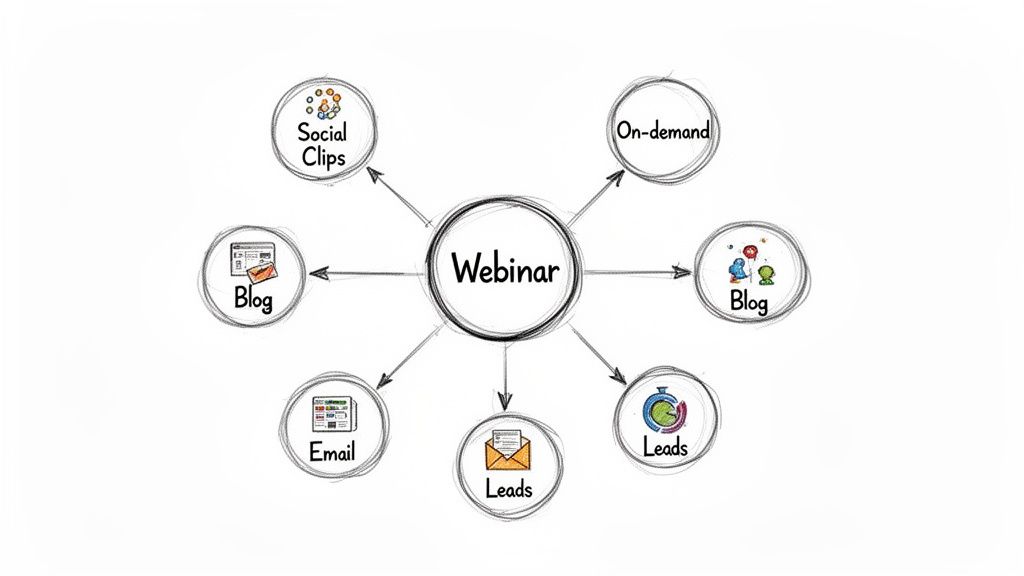
Instead of a one-off event, your webinar becomes a long-lasting content engine. It’s about methodically spinning that one-hour recording into dozens of smaller, valuable assets like social media clips, in-depth blog posts, and gated reports that keep fuelling your lead generation long after the live broadcast ends. Done right, this approach guarantees every US dollar you invest in a webinar delivers a measurable, compounding return.
Beyond Live Events: Building a Modern Content Engine
For too many B2B SaaS marketing teams, the webinar’s lifecycle is over the second the live stream cuts out. This ‘one-and-done’ mindset is a massive missed opportunity, leaving incredibly valuable content locked away inside a single, hour-long recording. It treats a high-effort, high-cost production as just a fleeting moment, not the cornerstone of a sustainable content strategy it ought to be.
A strategic shift is required. It’s time to stop seeing webinars as isolated events and start reframing them as the beating heart of a powerful content engine. This is the core principle behind webinar asset management—a systematic approach that transforms one virtual event into a library of high-impact, reusable marketing materials.
This system is the answer for teams grappling with limited resources, the relentless pressure for consistent content output, and the constant need to generate high-quality leads.
The Problem With One-Off Webinars
Let's be blunt: the traditional webinar model is fundamentally inefficient. A typical 60-minute webinar can easily swallow 40-60 hours of planning and execution, pulling in subject matter experts, marketing coordinators, and production teams. When all that effort only serves a live audience and a single on-demand recording, the return on your investment is painfully limited.
This outdated approach creates familiar pain points for B2B marketers:
- Content Scarcity: Marketing teams are on a constant treadmill, trying to produce new material, while their most authoritative content—the webinar—sits on a digital shelf gathering dust.
- Limited Reach: A single, long recording only appeals to prospects willing to commit an hour. You’re completely ignoring everyone who prefers short-form clips, articles, or podcasts.
- Wasted Expertise: The incredible insights from your top experts are heard once and then archived. They're not out there consistently educating prospects and cementing your thought leadership.
By failing to implement a webinar asset management system, B2B firms are effectively leaving money on the table. A single event has the potential to fuel an entire quarter's worth of content, but only if a structured repurposing workflow is in place.
Building a Sustainable Content Ecosystem
An effective webinar asset management system turns this broken model on its head. It’s a deliberate process designed to squeeze every last drop of value from your efforts, delivering efficiency gains, professional quality, and a real, measurable impact on your pipeline.
For a SaaS content team, this means turning an hour of expert commentary into a multi-channel campaign that nurtures leads and attracts new customers for weeks, or even months.
When you adopt this mindset, you stop being just a content creator and become a content architect. The goal is to build a process that saves hundreds of hours, dramatically lowers your cost-per-lead, and ensures your firm's expertise is consistently visible across every single marketing touchpoint. A great place to start is by learning more about developing a multi-channel content strategy that integrates perfectly with your webinar programme.
Building Your Asset Management Framework
Let's be honest, a world-class webinar library isn't built on wishful thinking. It needs a deliberate, structured framework. Without one, even your best content gets lost in a digital mess of poorly labelled files and confusing folders, making it completely useless when you actually need it. This is where we lay down the rules for your entire content library, making sure every single asset is findable, usable, and ready to deploy.
First things first: governance. This is all about defining who owns the asset library, who gets to see what (think drafts vs. final cuts), and who has the final sign-off. For a B2B marketing team, this could mean the content lead reviews early drafts, but only the demand generation team can access and use final, brand-approved versions in campaigns. It’s a simple move that prevents embarrassing leaks of unapproved content and keeps the brand looking sharp and consistent.
Establishing Logical Naming Conventions
With governance sorted, the most immediate and powerful change you can make is settling on a logical naming convention. This is the absolute bedrock of a searchable library. A messy system forces your team to waste precious time—studies show knowledge workers can burn up to 20% of their day just hunting for information. That’s a direct hit to your efficiency and ROI.
A simple, effective formula can cut through the chaos instantly.
Implementation Step: Adopt this go-to format: [Date YYYYMMDD]_[WebinarTopic]_[AssetType]_[Version]
For example, a social media clip from a webinar on AI in marketing held on 15 September 2023 would be named: 20230915_AI-Marketing_SocialClip_v1.mp4.
This structure tells anyone on your team exactly what the file is, when it was made, and what it’s for, all without needing to open it. It transforms your storage from a digital dumping ground into a genuinely intuitive database.
A clear naming convention is the first step toward an organised asset library. This table provides practical examples for different assets derived from a single webinar.
Example Naming Conventions for Webinar Assets
| Asset Type | Example Naming Convention |
|---|---|
| Full Recording | 20230915_AI-Marketing_FullRecording_FINAL.mp4 |
| Social Media Clip | 20230915_AI-Marketing_SocialClip01_v2.mp4 |
| Blog Post Draft | 20230915_AI-Marketing_BlogPost_v3.docx |
| Presentation Deck | 20230915_AI-Marketing_Slides_FINAL.pdf |
By applying this consistently, you create a self-organising system that anyone can understand at a glance.
Centralising Storage and Access
Now that your naming rules are in place, where do all these brilliantly named assets live? A single, central repository is non-negotiable. Trying to manage content across a mix of personal drives, random shared folders, and email attachments is a recipe for version control nightmares and brand inconsistency.
You have two main options here:
- Cloud Storage (e.g., Google Drive, Dropbox): A great, cost-effective starting point for smaller teams. You can set up a master folder structure, create sub-folders for each webinar campaign, and neatly separate raw footage, works-in-progress, and final approved assets.
- Digital Asset Management (DAM) Platform: This is the more robust solution for scaling teams. DAMs offer advanced features like detailed version history, usage rights management, and incredibly powerful search functions driven by metadata—which happens to be our next topic.
Whichever tool you choose, the key is tiered access. Your subject matter experts need an easy way to review content, but the wider sales and marketing teams should only see the polished, final assets. This protects the brand and makes sure only approved messaging gets out the door. If you want to dive deeper into the technical backbone of a great webinar programme, check out our guide on the infrastructure stack that powers enterprise webinar success.
Implementing a Practical Tagging Taxonomy
Finally, to make your library truly intelligent, you need a metadata and tagging taxonomy. Think of it as building a powerful internal search engine for your own content. By applying a consistent set of tags to every asset, your team can find exactly what they need in seconds.
For a SaaS marketing team, a practical taxonomy might include tags for:
- Funnel Stage: #TOFU, #MOFU, #BOFU
- Product Line: #ProductA, #ProductB, #Platform
- Content Format: #CaseStudy, #ExpertInterview, #HowToGuide
- Target Persona: #MarketingManager, #SalesDirector, #CTO
Imagine your sales team needs a short clip on a specific feature for a prospect at the bottom of the funnel. Instead of digging through folders, they just search #ProductA and #BOFU to pull up every relevant asset instantly. This kind of intelligent structure turns your webinar library from a passive archive into an active sales and marketing enablement tool, empowering your team to deploy thought leadership with precision and speed.
Automating Your Content Repurposing Workflow
With a solid framework for naming and storing your assets, it’s time to shift gears from organisation to execution. Let's be honest, the real win in webinar asset management isn't just a tidy folder structure; it's creating a repeatable, automated workflow that turns your raw webinar recording into a suite of marketing materials—with as little manual effort as possible. This is about building a content production line, not just a series of one-off projects.
The aim here is to create a system that can take a 60-minute expert session and reliably churn out a predictable set of assets. This frees up your subject matter experts and marketing strategists from the soul-crushing parts of production, letting them focus on what they do best: planning content and talking to customers. Done right, an automated system can realistically boost your content output by over 500% from the same source material, turning one event into a month-long campaign.
From Raw Recording to Polished Assets
The first move in any automated workflow is finding the gold within the full recording. Manually scrubbing through an hour-long video for compelling soundbites is a massive time sink. This is exactly where using an AI-powered tool or a strategic partner like Cloud Present really changes the game.
These services can automatically transcribe the whole session and flag key themes, questions, and powerful quotes. This lets you pinpoint the most impactful 2-3 minute segments that are perfect for short video clips on platforms like LinkedIn or as standalone educational snippets.
A well-oiled repurposing workflow isn't just about saving time; it's about amplifying impact. By systematically extracting key insights, you ensure your most potent messages reach the widest possible audience, in the formats they prefer, boosting efficiency and ROI.
Once you’ve identified your clips, the workflow splits. The full recording gets prepped for its new life as a gated, on-demand asset. This usually involves a professional edit to snip out any stumbles, adding branded intros and outros, and making sure the audio quality is top-notch. This polished version becomes a powerful lead generation tool, capturing contact details in exchange for high-value content. For B2B SaaS, this is also the perfect time to add interactive elements like polls or clickable CTAs within the video player.
The diagram below breaks down the core pillars of a successful asset management framework, which is the foundation for any automated workflow.
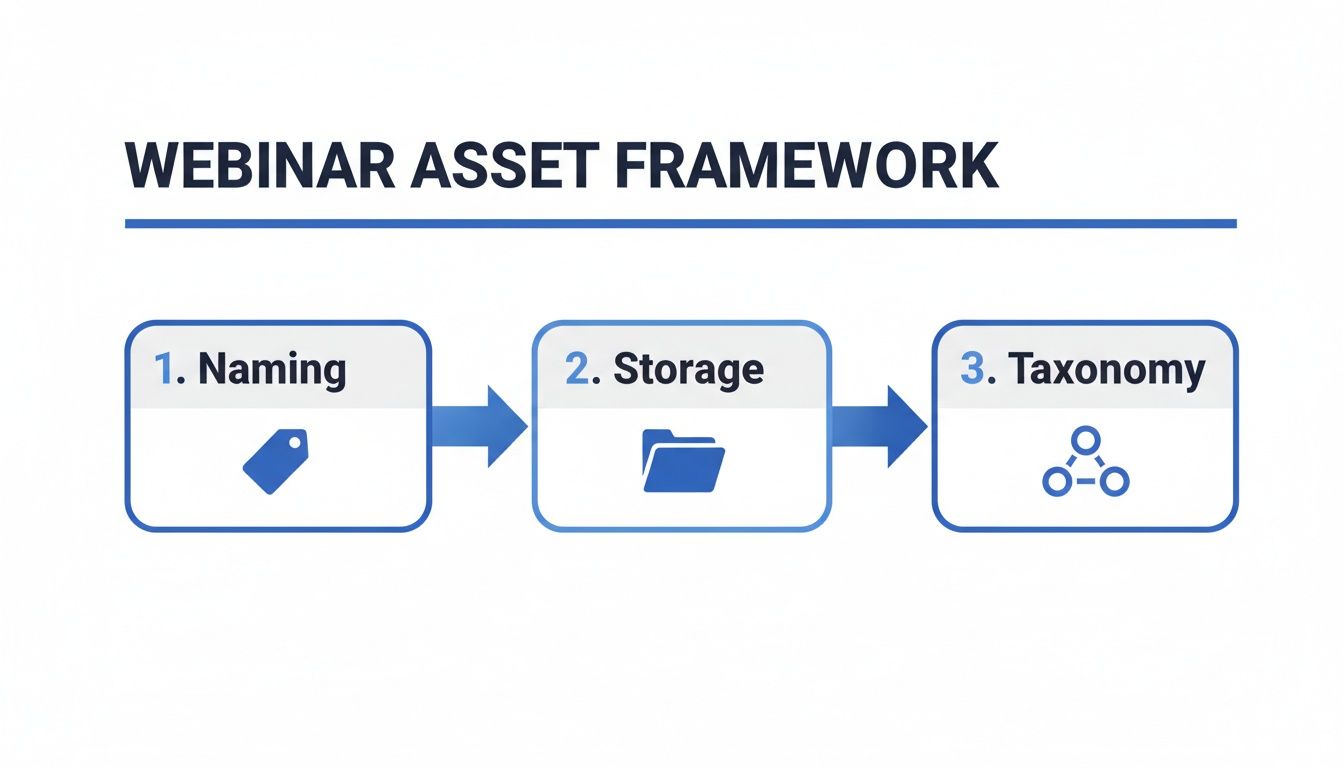
This process shows how systematic naming, centralised storage, and an intelligent taxonomy all work together to make your assets easy to find and ready for repurposing.
Maximising Reach with On-Demand Content
The strategic value of this workflow is backed up by audience behaviour. Data shows that a staggering 63% of webinar views now come from pre-recorded or on-demand versions, not the live broadcast. This shift completely validates the importance of investing in a high-quality, repurposed asset library. SaaS companies can capitalise on this by creating polished, gated content for both lead capture and customer onboarding.
This on-demand focus is a perfect match for the strengths of a managed webinar service. With Cloud Present's end-to-end ownership, we handle the entire process from capture to polish, delivering broadcast-quality recordings and accurate transcriptions within 3-5 days. That speed ensures your thought leadership stays timely and relevant. Our expertise in webinar automation software can help you build an efficient and scalable system.
A Repeatable Process for Consistent Output
Let’s map out what this automated workflow looks like in practice for a single webinar:
- Day 1 Post-Webinar: The raw recording is ingested. AI-driven transcription and key moment detection kicks off.
- Day 2: Your content team gets a summary of suggested clips and key quotes to review. They simply approve or tweak the selections.
- Day 3-4: Production work is completed. This includes editing the full recording, creating branded social video clips, and generating social media graphics from key quotes.
- Day 5: The complete asset package is delivered. You get the polished on-demand webinar, 3-5 social clips, a full transcript for SEO, and quote graphics, all ready for distribution.
This kind of hands-off system runs with minimal intervention, letting your content machine hum away in the background. To truly maximise the lifespan and impact of your webinars, you should delve into proven content repurposing strategies for your video and audio assets. By establishing a repeatable and efficient workflow, you transform your webinar programme from a series of stressful, high-effort events into a predictable and highly profitable content engine.
Ensuring Compliance and Quality Control
For B2B SaaS companies, trust is everything. It's your most valuable asset, and that makes brand consistency and professional quality completely non-negotiable. An effective webinar asset management system isn't just about being organised; it’s a critical quality control tool. It’s your guarantee that every single piece of content, from the full on-demand recording to a 30-second social clip, upholds the highest standards of brand consistency.
This becomes especially vital when you're tackling fast-moving topics like product updates or market analysis. In those situations, outdated information isn't just unhelpful—it can be a serious liability. The goal here is to build unshakable customer confidence by ensuring every asset reflects your firm's authority, mitigating risk while maximising your impact.
Implementing Rigorous Version Control
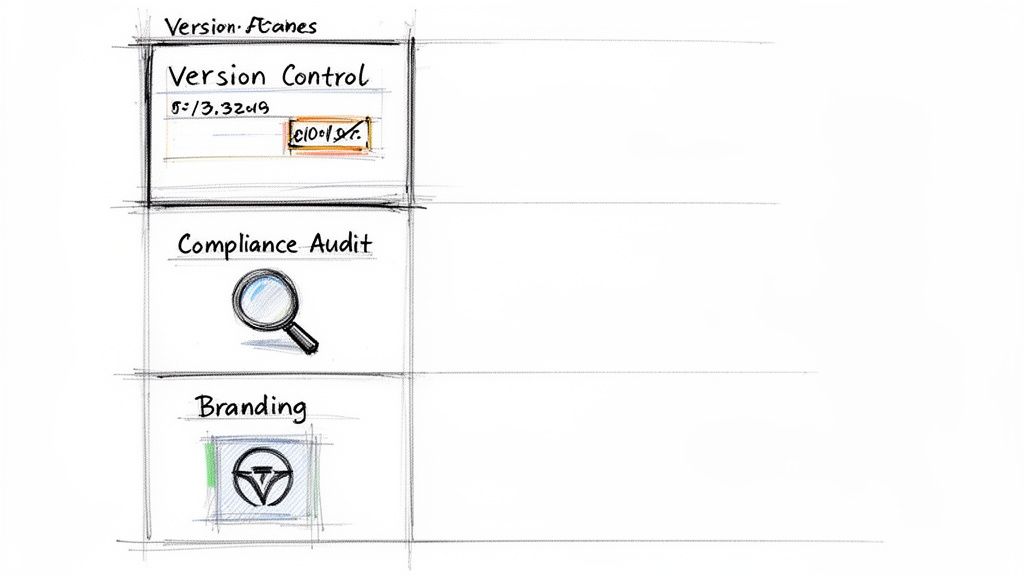
A robust version control process is your first line of defence against brand mishaps. When a product feature changes or messaging is updated, you need a system to instantly archive outdated assets and replace them with current, approved information. Without it, you’re running the risk of old advice circulating on your website or social media, potentially misleading prospects and damaging your company's reputation.
An effective strategy involves a few key implementation steps:
- A "Superseded" Status: As soon as messaging is updated, all related assets should be immediately tagged as 'Superseded' in your DAM. This archives them, pulling them from public view while keeping them available for internal reference.
- Clear Archiving Protocols: Establish a straightforward policy for how long assets are kept. For instance, product-focused content might have a mandatory review cycle every 12 months, with automatic notifications sent to the content owner.
- Version Suffixes: Ensure your team uses the versioning in your naming convention (e.g.,
_v1,_v2,_FINAL) to clearly distinguish drafts from approved finals. This simple step can prevent the accidental release of an unreviewed asset.
This proactive approach ensures only the most accurate and up-to-date information represents your brand.
Creating Clear and Defensible Audit Trails
In many industries, being able to prove how and when a piece of content was approved is just as important as the content itself. A clear audit trail is your proof of due diligence for stakeholders. Your webinar asset management process absolutely must document every step of the review and approval cycle.
A managed process transforms content production from an informal workflow into a defensible, documented system. It creates a clear record showing that every asset has been vetted by product, marketing, and subject matter experts before publication.
What this means in practice is that your chosen platform or partner must provide a clear history for each asset. It needs to show who reviewed it, what changes were requested, and who gave the final sign-off, complete with timestamps. For a SaaS company, this could mean documenting that a product manager reviewed a clip discussing new features before it was ever posted to LinkedIn. This documented accountability is critical for maintaining quality.
Maintaining On-Brand Professionalism Everywhere
Beyond the quality checks, your webinar assets must consistently reflect your company’s brand identity. A disjointed look and feel across different content formats can quickly erode the perception of quality and authority you’ve worked so hard to build.
Maintaining brand integrity across all repurposed content comes down to discipline:
- Branded Templates: Use pre-approved templates for everything from video overlays and social media quote graphics to presentation slides. This guarantees consistent use of your logo, colours, and fonts.
- A Messaging Style Guide: Develop a brief guide for the tone and language used in social media copy, blog posts, and email promotions that point back to your webinar assets.
- Quality Assurance Checklists: Before any asset goes live, it must pass a final quality check covering branding, messaging, and technical specs like video resolution or audio clarity.
This disciplined approach ensures that whether a prospect sees a full webinar or a short clip, the experience is polished, professional, and unmistakably yours. In the UK, where business events and webinars constitute a significant economic sector, this level of quality isn't just a nice-to-have; it's essential. For scaling SaaS companies, the ability to maintain audit trails and professional standards is what turns a simple webinar into a valuable, trust-building tool. You can discover more insights into the UK business events economy on VisitBritain.org.
Measuring ROI and Optimising Performance
So, you've built a slick system for managing your webinar assets. But what's the point if you can't prove it's actually working? A systematic approach is only as good as the results it delivers. To really justify the investment, you need to look past vanity metrics like registration numbers. The real story is in the data that the C-suite understands: lead quality, pipeline influence, and—most importantly—revenue.
This means building a performance dashboard that draws a straight line from your webinar activity to genuine business outcomes. A solid strategy is always data-driven. By tracking the right key performance indicators (KPIs), you can shift the perception of your webinar programme from a simple cost centre to a predictable, profitable demand generation engine.
Focusing on Metrics That Matter
To show real business impact, your focus must shift from surface-level engagement to metrics that follow the entire journey from prospect to paying customer. This isn't possible without connecting your webinar platform data directly into your CRM, which gives you a clear line of sight into how your content actually influences the sales cycle.
Here are the essential KPIs you should have on your dashboard:
- Cost-Per-Lead (CPL): Tally up the total cost of a webinar—platform fees, speaker time, promotion—and divide it by the number of qualified leads its assets generated. This gives you a hard efficiency benchmark. A target of under $75 is a strong indicator of an efficient programme.
- Marketing Qualified Lead (MQL) Conversion Rate: Of all the people who watched live or on-demand, what percentage became MQLs? This tells you about the quality of your audience and the relevance of your content. Top-tier webinars see rates of 20-40%.
- Pipeline Influence: How many active opportunities in your sales pipeline have touched a webinar asset? This is gold for showing marketing's direct contribution to ongoing sales conversations.
- Content Engagement Score: Get granular. Assign values to different interactions—watching 75% of a webinar, downloading the slide deck, asking a question—to pinpoint your most engaged prospects.
To truly understand how your webinar assets and all their repurposed offshoots are performing, you first need to know how to calculate marketing ROI properly. It's the foundational skill that lets you prove the value of every single campaign.
Proving the Value of Your Webinar Programme
When you start tracking these deeper metrics, you build a powerful business case for continued investment. The numbers often speak for themselves. Data shows that top-performing webinars convert between 20% and 40% of attendees into quality leads, with 2% to 5% of those eventually becoming customers. Better yet, a landmark 75% of marketers report that webinars have directly lowered their overall cost-per-lead.
Building a data-driven case isn't just about justifying the budget. It's about cementing marketing's position as a strategic revenue driver, proving that your content efforts have a direct and measurable impact on the bottom line.
Continuous Optimisation and Reporting
Your KPI dashboard shouldn't be a static report you glance at once a quarter. It's a living tool for optimisation. By reviewing performance data regularly, you can start to see clear patterns in what topics, formats, and speakers truly connect with your audience.
Start asking the right questions:
- Which webinar topics are generating the highest MQL conversion rates? Use this to plan your future content calendar.
- Are shorter, more tactical webinars outperforming longer, strategic deep-dives? This helps you refine your format strategy.
- Which repurposed assets—social clips, blog posts, gated guides—are driving the most engagement? That's where you should focus your distribution efforts.
Adopting this kind of analytical approach creates a feedback loop that consistently sharpens your webinar asset management strategy. The insights you pull from your performance dashboard will empower you to make smarter decisions, allocate your resources where they'll have the most impact, and deliver results that actually matter to the business.
Right, let's get this webinar machine built. Moving from a grand plan to a working system is all about having a clear, actionable roadmap.
Think of this as your playbook for building, running, and fine-tuning your webinar content engine. We'll break it down into three simple phases.
Phase 1: Laying the Foundation
First things first, we need to get the groundwork right. Nailing these core elements from the get-go saves you from a world of pain later on. It’s all about creating a solid, scalable structure that won't fall apart the minute you start adding more content.
- Pick Your Central Hub: This is your single source of truth. It could be a proper Digital Asset Management (DAM) platform or even a meticulously organised cloud storage system like Google Drive. Just pick one and stick to it.
- Lock in Your Naming Conventions: Decide on a non-negotiable formula for naming every single file. Something simple like
[Date]_[Topic]_[AssetType]works wonders. Get the whole team to adopt it religiously. - Build Your Tagging Taxonomy: Create your master list of metadata tags. Think about the essentials: funnel stage, product line, target persona, and so on. This makes finding anything a breeze later.
Phase 2: Building the Workflow
With the foundation in place, it’s time to focus on the process and the people. This phase is all about mapping out the repeatable steps that turn a raw recording into a whole suite of polished, ready-to-go assets—quickly and without any guesswork.
- Map the Repurposing Journey: Document every single step, from the moment the recording ends to the final assets being published. This includes transcription, clip selection, editing, and final approvals. No step is too small to list.
- Assign Crystal-Clear Roles: Who does what? Define who’s responsible for each stage. Maybe a product marketing manager does the first review, but the final sign-off has to come from your head of content.
A documented workflow transforms your content repurposing from a frantic, ad-hoc scramble into a predictable, factory-like process. That consistency is the secret to scaling up your content without letting quality or brand standards slip.
Phase 3: Optimising for a Return
Your system is up and running. Great. Now the goal is to make it better, month after month. This final phase ensures your webinar programme isn’t just ticking along but is actually delivering a measurable return on your investment. It’s how you justify the budget and prove marketing’s value.
- Build Your KPI Dashboard: This is non-negotiable. You need to connect your webinar platform and CRM to track the metrics that matter. I’m talking Cost-Per-Lead (CPL), pipeline influence, and MQL conversion rates.
- Schedule Quarterly Performance Reviews: Block out time every quarter to actually look at the data. Dive into your dashboard, pinpoint what’s working (and what isn’t), and use those insights to sharpen your strategy for the next three months.
Need a strategic partner to manage this entire process for you? Explore how Cloud Present can act as your outsourced webinar studio, handling everything from capture to analytics.
Still Have Questions? Let’s Clear Things Up
Even with the best strategy in place, a few practical questions always come up when you start getting into the weeds of managing webinar content. Here are the answers to some of the most common ones we hear from B2B SaaS marketing teams.
What Does "Webinar Asset Management" Actually Mean?
At its heart, webinar asset management is the system for organising, storing, repurposing, and sharing every single piece of content that comes from your webinar.
Think beyond just the raw recording. We’re talking about every polished video clip, the slide deck, the full transcript, and even the audio-only files. It’s about turning a one-time live event into a permanent, searchable library of assets that can fuel your marketing long after the broadcast ends.
What Are the Best Tools for the Job?
There’s no single magic bullet; an effective setup usually involves a few specialised platforms working together. The ideal toolkit often includes:
- A Digital Asset Management (DAM) system like Bynder or Canto to act as your central, intelligent library for all content.
- A video editing partner, like Cloud Present, to handle the heavy lifting of creating polished clips and professional on-demand recordings without bogging down your internal team.
- Your marketing automation platform – think HubSpot or Marketo – to distribute the assets, nurture leads, and track how everything is performing.
If you’re just starting out, a well-structured system in Google Drive can work as a solid first step. Just be aware you’ll outgrow it quickly as your content library expands.
How Do You Actually Measure the ROI of All This?
To get a real sense of ROI, you have to look past vanity metrics like attendance numbers. Your focus should be on tracking data that ties directly back to business goals.
We’re talking about:
- Cost Per Lead (CPL) generated from all content derived from your webinars. A mature programme can get this number down below $75.
- The MQL conversion rate. The benchmark to aim for here is anywhere from 20-40%.
- Pipeline influence. This means tracking how many of your eventual customers engaged with a piece of webinar content at some point in their buying journey.
The secret is to ensure your webinar platform data flows directly into your CRM. This gives you a clear, defensible picture of how your content strategy is contributing to revenue, making it much easier to justify future investment.
How Can I Turn One Webinar Into Multiple Pieces of Content?
It all starts with a simple review of the recording. Pinpoint the most insightful moments, the best audience questions, or the sharpest soundbites from your speakers.
Those moments become short, punchy video clips perfect for sharing on LinkedIn. The full, professionally edited recording gets gated on your website for on-demand lead generation. From there, you can pull the audio for a podcast episode, turn the transcript into a detailed SEO-friendly blog post, and pull out standout quotes for eye-catching social media graphics.
Ready to turn your webinars into a predictable content engine? Cloud Present acts as your outsourced webinar studio, handling everything from capture and polishing to repurposing and analytics. Discover how our end-to-end service can save you hundreds of hours and maximise your ROI.


