10 Interactive Webinar Ideas to Drive Engagement and ROI in 2026
Discover 10 actionable interactive webinar ideas for B2B SaaS marketing. Drive engagement, generate leads, and prove ROI with practical tips and examples.
In the crowded B2B SaaS landscape, a standard slide presentation no longer captures attention, let alone drives revenue. Your audience, from finance directors to legal counsel, demands more than a passive lecture; they seek genuine engagement that solves their complex challenges. The average webinar attendance rate may hover around 46%, but interactive sessions consistently outperform, boosting audience engagement by over 25% and significantly increasing lead conversion rates.
For B2B SaaS marketing professionals and content teams, the challenge is clear: transform webinars from a one-way broadcast into a two-way value exchange. This means moving beyond a basic Q&A at the end to create dynamic, memorable experiences that not only educate but also qualify high-intent prospects. To effectively transition beyond passive presentations and implement advanced features like interactive Q&A and breakout rooms, leveraging powerful interactive webinar applications becomes crucial.
This curated listicle provides ten actionable and sophisticated interactive webinar ideas, complete with step-by-step implementation guides, suggested ROI metrics, and practical repurposing strategies. We will explore how to leverage these formats to solve your core pain points: limited resources, the relentless need for high-quality content output, and the constant pressure for consistent demand generation. Each idea is designed to help you execute with the professional polish your brand requires, turning passive viewers into active participants and potential clients. Let's move from simply presenting information to strategically engaging your most valuable audiences.
1. Live Polling & Audience Segmentation
Live polling transforms passive viewers into active participants by asking them to vote on questions in real-time. This is one of the most effective interactive webinar ideas because it goes beyond simple engagement. By collecting firmographic data at registration (e.g., role, industry, company size), you can segment poll results live. This allows you to reveal nuanced insights, such as how C-suite executives view a trend differently from senior managers.
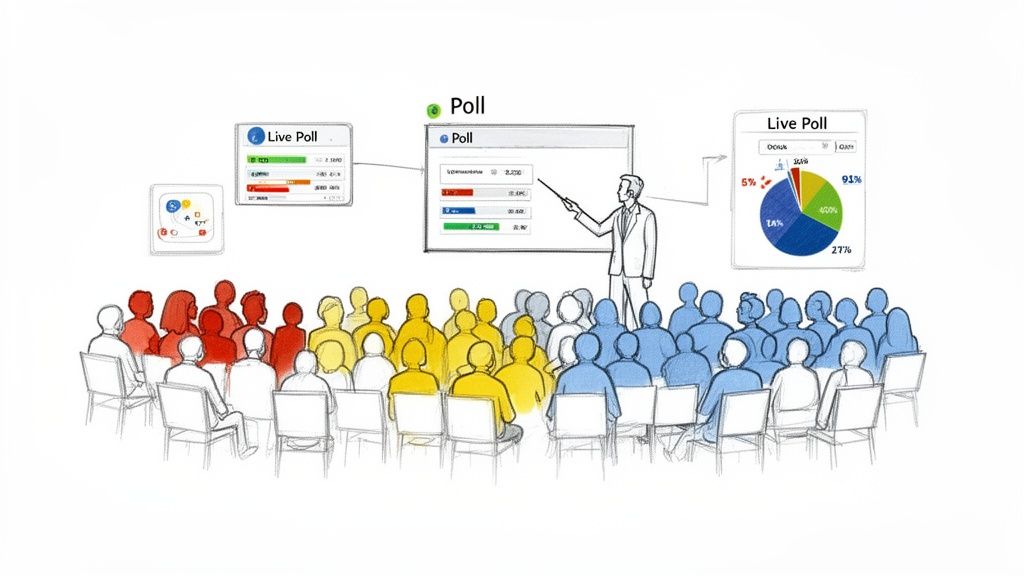
Presenters can discuss these discrepancies, creating a more dynamic and relevant conversation. For example, a fintech SaaS company could poll CFOs and controllers separately on their primary forecasting challenges, displaying a side-by-side comparison that validates the experiences of each group. This technique instantly elevates your webinar from a monologue to a data-driven dialogue, demonstrating deep market understanding.
How to Implement This Idea
- Pre-Webinar Setup: Make segmentation fields like 'Job Title' or 'Company Size' mandatory on your registration form. Use this data to plan your segmented poll questions in advance. Platforms like Slido or Mentimeter integrate seamlessly with most webinar software.
- Execution: Strategically place polls every 10-15 minutes to maintain energy. Use the live results as a natural transition point between topics. For instance, you could say, "Interestingly, 65% of you cited compliance as your main concern, which leads us perfectly to our next section..."
- Post-Webinar Follow-Up: Use the poll data to inform your lead scoring and personalise your follow-up communications. Someone who voted 'budget constraints' as a top challenge should receive a different email sequence from someone who chose 'technology integration'. You can learn more about how to make webinars interactive with techniques like this.
Why It’s Effective
This approach achieves two critical goals. First, it boosts audience engagement by making attendees part of the content creation process. Second, it serves as a powerful market research and lead qualification tool. By segmenting responses, you collect valuable intelligence that can be repurposed into a standalone industry report, whitepaper, or a series of social media graphics, significantly increasing the ROI of your event and addressing the need for consistent content output.
2. Interactive Q&A with Moderation
An interactive Q&A session transforms a one-way presentation into a valuable, audience-centric dialogue. Instead of a chaotic free-for-all, a moderated Q&A organises attendee questions submitted via a dedicated chat or form. A host then curates and poses the most relevant queries to the presenters, directly addressing audience pain points and demonstrating expertise in real-time.
This is one of the most powerful interactive webinar ideas for B2B SaaS companies. For instance, a cybersecurity firm can use a moderated Q&A to tackle complex regulatory questions, establishing its thought leadership. Similarly, a MarTech platform can address specific user concerns about data integration, building trust and showcasing their solution's capabilities. This controlled interaction ensures the conversation stays on-topic and high-value, preventing it from derailing.
How to Implement This Idea
- Pre-Webinar Setup: Assign a dedicated moderator who is not the main speaker. Their sole focus should be to monitor, categorise, and prioritise incoming questions. Use webinar platforms with built-in Q&A features that allow for upvoting, which helps surface the most popular questions.
- Execution: Clearly state at the beginning when Q&A will take place (e.g., at the end of each section or a dedicated 15-minute block at the end). The moderator can group similar questions together, saying, "We've had several questions about API limits, so let's address that..." to improve efficiency.
- Post-Webinar Follow-Up: The list of submitted questions is a goldmine of prospect intelligence. Capture all queries, especially unanswered ones, to create follow-up content like a blog post, FAQ document, or even an idea for a future webinar. This data reveals your audience's most pressing challenges.
Why It’s Effective
A moderated Q&A directly engages attendees by giving them a voice and a chance to get their specific problems solved. It provides invaluable, unscripted insight into what your target market is thinking, helping you identify content gaps and sales opportunities. By turning these authentic exchanges into short-form video clips or social media posts, you can efficiently repurpose the most impactful moments to extend the life of your webinar content and generate more demand.
3. Breakout Room Discussions
Breakout rooms transform a one-to-many broadcast into a collaborative workshop by dividing your audience into smaller, focused groups. This is one of the most powerful interactive webinar ideas for fostering genuine peer-to-peer learning and deeper engagement. Instead of just listening, attendees actively discuss specific topics, use cases, or challenges, creating a stronger sense of community and shared discovery.
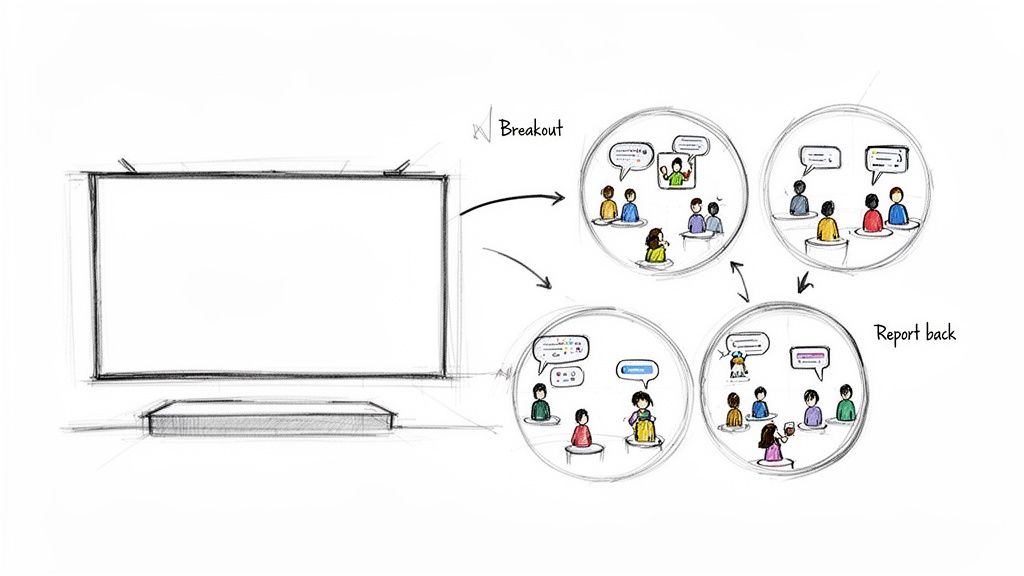
For instance, a project management SaaS company can use breakout rooms for users to discuss their best practices for a specific feature, or a sales CRM provider might have groups brainstorm lead qualification strategies. Each room can then report its key findings back to the main session. This not only encourages participation but also generates unique, crowd-sourced content that enriches the overall experience for everyone.
How to Implement This Idea
- Pre-Webinar Setup: Plan your breakout topics and prepare clear, concise prompts or questions for each group. Platforms like Zoom, Microsoft Teams, and Hopin offer robust breakout room features. Assign a dedicated facilitator to each room to guide the discussion and synthesise key takeaways.
- Execution: Keep breakout sessions focused and time-bound, typically 15-20 minutes. Provide a clear objective and a one-minute warning before the rooms close. Structure a "report back" segment where facilitators or nominated attendees share their group's top one or two insights with the wider audience.
- Post-Webinar Follow-Up: Compile the key insights and discussion points from all breakout groups into a summary document. Email this to all attendees as a value-added resource, reinforcing the learnings and demonstrating the collective intelligence of the group.
Why It’s Effective
Breakout rooms excel at combating webinar fatigue and building a network effect. They provide an intimate setting for attendees to connect with peers, share expertise, and solve problems collaboratively, which is highly valued in the B2B space. The insights captured from these discussions are authentic and can be repurposed into valuable assets like blog posts or social media content, significantly maximising the event's ROI with minimal additional resource spend.
4. Interactive Case Study Walkthroughs
An interactive case study walkthrough transforms a static success story into an engaging, problem-solving journey. Instead of simply presenting results, the host guides the audience through a real-world client challenge, pausing at critical decision points to ask, "What would you do?" This is one of the most compelling interactive webinar ideas because it combines powerful storytelling with audience participation, making complex solutions feel tangible and achievable.
This format allows B2B SaaS companies to demonstrate their expertise in a live, consultative setting. For instance, an analytics platform could present a data visualisation case, polling attendees on which KPI they would prioritise at a key juncture. The presenter then reveals the actual choice and its outcome, justifying the strategic rationale and showcasing their platform's impact. This method builds credibility and allows potential clients to experience a micro-version of your solution's value.
How to Implement This Idea
- Pre-Webinar Setup: Anonymise client data while retaining specific, impactful metrics (e.g., "reduced customer churn by 18% in six months"). Prepare 2-3 key decision-point polls to insert into the narrative. Obtain client testimonial permission well in advance and prepare compelling before-and-after visuals, such as dashboards or reports.
- Execution: Structure the narrative around a clear 'Challenge-Solution-Result' framework. Present the initial problem, then pause before revealing your approach. Launch a poll asking the audience to vote on the best course of action. Discuss the poll results and use them as a bridge to explain the path your client took and why it was effective.
- Post-Webinar Follow-Up: Build a library of these case studies, linking each one to a specific use case for more targeted lead routing. Repurpose the full webinar into short-form video clips highlighting key decision points for social media campaigns. The full recording can also be gated as a valuable lead-generation asset.
Why It’s Effective
This technique powerfully demonstrates your product's value proposition rather than just stating it. It moves beyond abstract claims by proving your methodology and results with concrete evidence. For the audience, it’s an immersive learning experience that feels more like a strategic workshop than a sales pitch. The interactive elements provide valuable data on how your audience thinks, revealing their priorities and pain points, which can be used to refine future marketing messages and sales conversations.
5. Live Whiteboard & Collaborative Drawing
Live whiteboarding moves beyond static slides, transforming your presentation into a dynamic, co-created visual experience. By using a digital whiteboard, presenters can illustrate complex concepts, draw frameworks, and map out workflows in real-time. This is one of the most engaging interactive webinar ideas because it mimics an in-person workshop, making abstract ideas tangible and easy to follow. Attendees can even be invited to contribute, turning a one-way lecture into a collaborative brainstorming session.
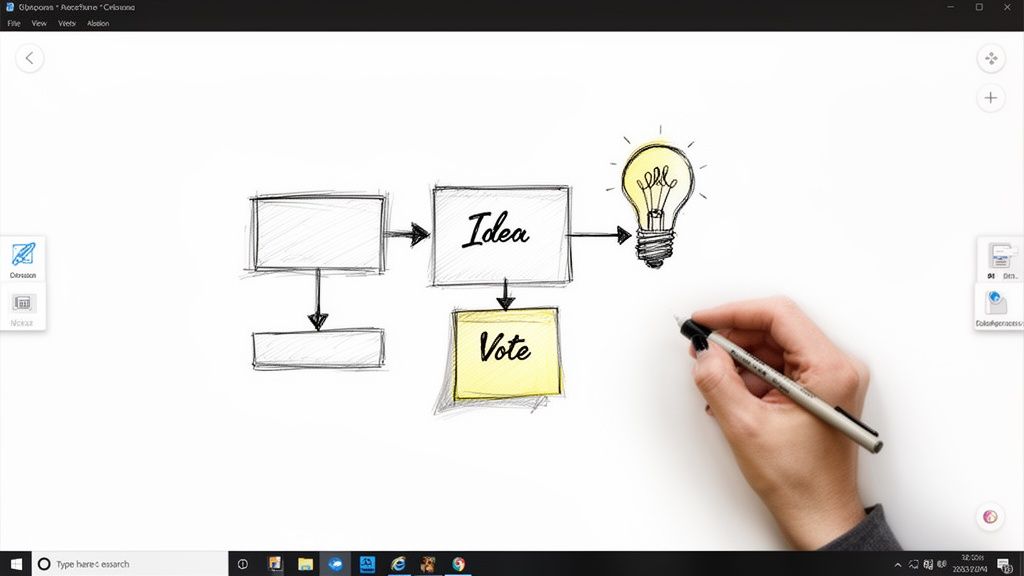
For instance, a marketing automation platform could draw an entire campaign workflow live, answering audience questions as they add components like triggers and email sequences. Similarly, a supply chain software provider could map out a complex logistics process, clarifying each stage for attendees. This technique captures authentic explanations and demonstrates expertise in a way that pre-made slides cannot, building trust and showcasing the presenter's deep subject matter knowledge.
How to Implement This Idea
- Pre-Webinar Setup: Prepare a light template or starting framework on your digital whiteboard tool like Miro or Mural. Pre-load any necessary icons, logos, or shapes to maintain a professional look and save time during the live session. Rehearse the entire sequence at least twice to ensure a smooth, confident delivery.
- Execution: Narrate every action clearly as you draw to guide the audience's focus. For example, say, "Now, I'm connecting the lead capture form to the CRM integration, which is critical for data hygiene." Invite attendees to submit ideas via the chat or Q&A, and add them to the whiteboard using digital sticky notes to show you are incorporating their feedback.
- Post-Webinar Follow-Up: Export the final, completed whiteboard as a high-resolution PNG or PDF and include it in your follow-up email as a valuable, standalone asset. You can also create a time-lapse video of the drawing process for use in social media clips, offering a visually compelling recap of the webinar's key takeaways.
Why It’s Effective
This method excels at simplifying complexity and boosting information retention. The act of drawing and explaining simultaneously caters to visual and auditory learners, helping to solidify understanding. It also positions the presenter as an agile, unscripted expert, building significant credibility. The final artefact serves as a unique and highly shareable piece of content, extending the webinar's value and providing a tangible resource that attendees can refer back to, directly increasing the event's ROI.
6. Interactive Scenario & Decision Trees
Interactive scenarios transform a standard presentation into an immersive, choose-your-own-adventure experience. Instead of passively receiving information, attendees are presented with a business problem and multiple decision points. The audience votes on which path to take, and the webinar branches in real-time to show the consequences of their collective choice. This is one of the most powerful interactive webinar ideas for demonstrating expertise in complex decision-making.
For instance, an HR tech firm could present a talent retention scenario, asking the audience to decide between implementing a new benefits package or a professional development programme. Based on the vote, the presenter reveals the likely outcomes, challenges, and successes of that path, backed by industry data. This method actively involves the audience in problem-solving, making abstract concepts tangible while showcasing the platform's strategic value in different business contexts.
How to Implement This Idea
- Pre-Webinar Setup: Storyboard the entire decision tree, limiting it to 2-3 key decision points to avoid overcomplicating the narrative. Pre-record the video segments for each potential branch to ensure seamless, high-quality transitions during the live event. Use your webinar platform’s polling feature to manage the voting at each juncture.
- Execution: A skilled facilitator is crucial to guide the audience through each decision point and frame the vote. After the audience chooses a path, the facilitator can say, "The majority of you have chosen to prioritise market expansion. Let's see how that decision plays out over the next six months," before playing the corresponding video segment.
- Post-Webinar Follow-Up: Repurpose the recorded branches into multiple, distinct on-demand assets. Create a summary document or infographic comparing the chosen path against the alternative outcomes. Offer attendees a downloadable decision-making framework based on the scenarios presented.
Why It’s Effective
This technique brilliantly demonstrates cause and effect, allowing your company to prove its expertise rather than just state it. It moves beyond theory and into practical application, which is highly valued by senior decision-makers. Furthermore, this format is incredibly efficient for content teams; it generates multiple content assets from a single event. Each unique path can be edited and distributed as a standalone micro-webinar, effectively tripling or quadrupling the content output and maximising the ROI of your initial production investment.
7. Gamification with Leaderboards & Rewards
Gamification introduces elements of competition and reward into your webinar to drive sustained audience participation. By assigning points for specific actions like answering a poll, asking a thoughtful question in the Q&A, or staying for the entire session, you can encourage deeper engagement. This is one of the more dynamic interactive webinar ideas as it taps into our natural desire for achievement and recognition.
A live leaderboard, updated in real-time, displays the top participants, creating a sense of friendly competition. For example, a tech company running a user onboarding webinar could award points for completing in-webinar tasks, with the top five users receiving a 30-day trial of a premium feature or a gift card for US Dollars 50. This transforms passive learning into an active challenge, significantly improving knowledge retention and motivating attendees to interact with your content from start to finish.
How to Implement This Idea
- Pre-Webinar Setup: Clearly define the rules and point system before the event. Decide which actions earn points (e.g., 5 points for a poll answer, 20 points for a question chosen for the Q&A). Communicate these rules at the beginning of the webinar. Tools like Kahoot! or dedicated webinar platforms with built-in gamification features can manage the scoring automatically.
- Execution: Display the leaderboard at key intervals, such as after a poll or before a break, to maintain momentum. The host should actively encourage participation by highlighting top performers and reminding attendees of the rewards. Acknowledge different types of contributions to ensure everyone feels they can participate.
- Post-Webinar Follow-Up: Announce the final winners both at the end of the live event and in your follow-up email. Use participation data for lead scoring; a highly engaged attendee who ranked on the leaderboard is likely a warmer lead. You can tailor your outreach by referencing their high level of engagement.
Why It’s Effective
This method is highly effective because it makes engagement fun and tangible. It provides constant, positive reinforcement for desired behaviours, keeping energy levels high throughout what might otherwise be a long session. For B2B SaaS firms, this is an excellent tool for user training or certification, where sustained attention is critical. The data collected also provides clear insight into who your most engaged and interested audience members are, creating a prioritised list for your sales team to contact.
8. Live Expert Panel with Moderated Debate
A live expert panel elevates a standard webinar into a high-value intellectual event. It brings together multiple industry experts to discuss and debate diverse perspectives on a complex topic. This is one of the most compelling interactive webinar ideas because it showcases authentic, nuanced thinking rather than a single, rehearsed viewpoint. The format encourages attendees to engage with differing opinions, vote on compelling arguments, and witness genuine intellectual exchange.
This format moves beyond a simple presentation to model critical thinking for your audience. For instance, a fintech company could host a panel featuring a venture capitalist, a regulator, and a startup founder to debate the future of open banking. The moderated conflict and synthesis of ideas provide immense value, positioning your brand as a central convenor in your industry and a strategic partner.
How to Implement This Idea
- Panel Curation: Select panellists with complementary yet distinct viewpoints. A panel where everyone agrees is uninteresting. Brief your moderator extensively on each expert's background and potential points of friction to guide the conversation effectively.
- Execution: Use a professional multi-camera setup to capture the dynamic between speakers. The moderator should seed the initial Q&A with pre-prepared questions to spark debate before opening the floor to the audience. Use polling to ask attendees which panellist's argument they find most persuasive after a key debate point.
- Post-Webinar Follow-Up: Repurpose the event by creating short, impactful video clips of each panellist's key arguments for social media. Distribute a written summary of the different positions discussed in your follow-up email, reinforcing the intellectual value delivered.
Why It’s Effective
This strategy establishes unparalleled thought leadership and credibility. By facilitating a high-level discussion with recognised experts, you associate your brand with authority and intellectual rigour. It also creates powerful, repurposable content assets. Each expert’s contribution can be extracted for individual speaker reels or blog posts, and the clashing viewpoints make for highly shareable social media content, maximising the ROI of a single live event and easing the burden on content teams.
9. Interactive Live Demonstrations & Tool Walkthroughs
An interactive live demonstration moves beyond a standard sales pitch to become a collaborative exploration of a tool, platform, or process. Instead of a rigid, pre-scripted tour, the presenter guides the audience through a live environment, allowing them to influence the direction. This is one of the most powerful interactive webinar ideas for technology-driven firms as it proves value rather than just stating it.
By incorporating real-time feedback mechanisms, such as polls asking, "Which feature should we explore next?" or a Q&A dedicated to specific use-cases, the demonstration becomes a tailored consultation. For instance, a CRM platform could showcase its sales automation features by asking attendees to vote on whether to demonstrate the lead scoring workflow or the email sequencing module first, making the session immediately relevant to the majority's interest.
This approach transforms a passive product viewing into a hands-on problem-solving session. The audience sees the tool tackle challenges they recognise, building trust and demonstrating the platform's flexibility and direct impact on their operational pain points.
How to Implement This Idea
- Pre-Webinar Setup: Prepare a clean, controlled demo environment with fresh, non-confidential data. Script the core journey covering 3-4 key features but build in flexible deviation points. Have a pre-recorded version ready as a backup in case of technical difficulties.
- Execution: Start by outlining a common problem and show the "before" state. As you demonstrate the solution (the "after" state), use interactive prompts to guide your focus. For example, "I can now show you how this integrates with X or how we export the report. Use the poll to let me know what you'd prefer to see."
- Post-Webinar Follow-Up: Segment your follow-up based on the features attendees showed interest in. Offer personalised trial access, a one-to-one consultation, or a link to a detailed guide on the specific workflow they voted for. You can refine your on-camera presence with these webinar presenter best practices.
Why It’s Effective
This method is highly effective because it directly addresses the audience's primary question: "How will this work for me?" By allowing attendees to guide the demonstration, you create a personalised experience that answers their specific questions and overcomes their unique objections in real-time. This significantly shortens the sales cycle by moving high-intent prospects from consideration to decision. The recording also serves as a valuable, customisable sales asset that can be used by your business development team for months.
10. Live Document Annotation & Redline Sessions
Live document annotation transforms a theoretical discussion into a practical, hands-on workshop. This method involves sharing a realistic (and anonymised) document like a proposal, report template, or service level agreement and marking it up live. As the presenter makes edits, they explain the reasoning, highlight potential risks, and discuss strategic implications. This is one of the most powerful interactive webinar ideas for B2B SaaS firms as it demonstrates expertise in a tangible, high-value format.
Imagine a legal tech firm hosting a webinar where an expert redlines a flawed contract generated by a competitor, pointing out ambiguous clauses and suggesting stronger language enabled by their software. Attendees can ask specific questions about the edits, making the session feel like a personalised masterclass. This format directly showcases the product's value and the company’s critical thinking, building immense credibility and trust with potential clients.
How to Implement This Idea
- Pre-Webinar Setup: Choose a document that reflects a common client challenge. Thoroughly anonymise it to remove all sensitive information. Prepare a version with light annotations to guide your presentation and ensure you cover 5-7 key points without getting bogged down.
- Execution: Use webinar software with robust screen-sharing and annotation tools. Clearly explain the context of the document before diving in. As you make each edit, articulate your reasoning: "I'm changing this wording here to mitigate risk X," or "This clause is often misinterpreted; here is a clearer alternative our platform generates automatically." Encourage questions about specific annotations via the Q&A feature.
- Post-Webinar Follow-Up: Offer attendees a downloadable 'clean' version of the annotated document or a summary guide explaining the key redlines. Use questions asked during the session to identify high-intent leads. A participant who asked about a specific liability clause is likely facing that exact problem.
Why It’s Effective
This technique demystifies complex work, providing immense educational value while simultaneously proving your platform's expertise. It moves beyond abstract advice to show how you solve problems. The content generated is highly repurposable; key annotations can be turned into a series of short-form videos ("3 SLA clauses you’re probably getting wrong"), a detailed blog post, or a downloadable checklist. This maximises the ROI of the event by creating a suite of high-value marketing assets from a single live session.
Comparison of 10 Interactive Webinar Ideas
| Format | Implementation complexity | Resource requirements | Expected outcomes | Ideal use cases | Key advantages |
|---|---|---|---|---|---|
| Live Polling & Audience Segmentation | Medium–High — platform integration and segmentation setup | Polling tools + CRM/registration data, analyst/moderator, dashboard | Segmented audience insights, personalized follow-up, higher engagement | Client education, market research, multi-segment webinars, lead scoring | Real-time segmented insights; supports lead scoring; boosts participation |
| Interactive Q&A with Moderation | Low–Medium — moderator workflow and question triage | Skilled moderator, chat/submission tools, panelists | Directly addresses attendee concerns, lead capture, trust building | Regulatory updates, product feedback, client advisory, thought leadership | Authentic dialogue; builds credibility; captures prospect intelligence |
| Breakout Room Discussions | High — coordination of multiple rooms and facilitators | Multiple facilitators, breakout-enabled platform, prompts, synthesis team | Deeper discussion, peer connections, rich qualitative insights | Peer learning, advisory boards, complex topic exploration | Fosters psychological safety; builds community; produces granular insights |
| Interactive Case Study Walkthroughs | Medium — case prep and anonymization required | Prepared case materials, storyteller-presenter, visuals, permissions | Demonstrated ROI, practical learning, repurposable assets | Business development, thought leadership, client education | Real-world credibility; clear ROI demonstration; strong repurposing |
| Live Whiteboard & Collaborative Drawing | Medium — presenter skill and rehearsal needed | Digital whiteboard (Miro/Mural), templates, practiced facilitator | Visualized concepts, clearer explanations, engaging visual assets | Strategy visualization, process explanation, technical teaching | Shows thinking process; highly engaging for visual learners; unique assets |
| Interactive Scenario & Decision Trees | High — branching logic and multiple prepared outcomes | Branch-ready slides/recordings, voting tools, facilitator, editing plan | Demonstrated decision impact, memorable experiential learning | Strategy webinars, decision-making training, advisory scenarios | Personalized outcomes; strong experiential learning; multiple repurpose versions |
| Gamification with Leaderboards & Rewards | Medium — rule design and tracking required | Gamification platform/plugins, reward logistics, CRM integration | Increased participation, behavioral data, competitive engagement | Lead generation, internal training, onboarding, high-touch engagement | Dramatically boosts engagement; captures behavioral signals; motivates action |
| Live Expert Panel with Moderated Debate | High — coordinating experts and managing dynamics | Multiple expert speakers, experienced moderator, professional production | Nuanced perspectives, credibility, shareable speaker clips | Thought leadership, controversial/complex topics, executive forums | Demonstrates rigor and diverse views; generates buzz and authority |
| Interactive Live Demonstrations & Tool Walkthroughs | Medium — flawless demo execution required | Demo environment, practiced presenter, screen recording, backup plan | Practical “how-to” understanding, high-intent leads, trial sign-ups | Product demos, software adoption, process/tool training | Concrete practical value; reduces implementation friction; drives trials |
| Live Document Annotation & Redline Sessions | Medium–High — anonymization and compliance oversight | Real/anon docs, annotation tools, compliance review, expert presenter | Immediate applicability, high trust, downloadable reference assets | Legal tech, compliance training, sales enablement, contract software | Highly practical and credible; produces usable reference documents |
From Idea to Asset: The Strategic Advantage of Professional Production
Moving beyond the static, one-way presentation is no longer an option; it's an imperative for B2B SaaS marketers aiming to capture and retain audience attention. We have explored a catalogue of powerful interactive webinar ideas, from the immediate feedback loop of live polling and the collaborative energy of breakout rooms to the practical application of live document annotation. Each of these formats is designed not just to engage but to transform passive viewers into active participants, generating valuable data and fostering genuine connection.
The common thread weaving through these ten distinct approaches is a fundamental shift in mindset. A webinar is not a standalone event with a finite start and end. It is the beginning of a content lifecycle, a strategic asset primed for amplification and repurposing. The insights gleaned from a moderated Q&A, the compelling visual of a collaborative whiteboard session, or the decisive outcomes of an interactive scenario are all potent raw materials for your content marketing engine.
Turning Engagement into Enduring Value
The true return on investment from your webinar programme is realised in the days and weeks after the live event concludes. A single, well-executed 60-minute interactive session can be strategically deconstructed to fuel your content calendar for an entire quarter, solving the persistent pain point of consistent content output.
- From Polls to Infographics: The data you collect from live polling isn't just for in-the-moment engagement. It provides a unique, proprietary dataset that can be visualised in a compelling infographic, shared on social media, and cited in future blog posts to establish authority. This delivers an efficiency gain by creating a new asset from existing data.
- From Q&A to FAQ Content: The questions your audience asks are a direct line into their most pressing challenges. Curate the most insightful exchanges into a detailed blog post, a downloadable FAQ document, or a series of short-form video clips addressing each query.
- From Demos to Micro-Tutorials: A full-length interactive demonstration can be overwhelming. Edit the recording to isolate key feature walkthroughs, creating a library of bite-sized video tutorials perfect for your knowledge base, targeted email campaigns, or as visual aids for your sales team.
This process of transformation is where many marketing teams, already stretched thin, encounter a significant bottleneck. The expertise required to plan, produce, and then professionally edit and repurpose a webinar is substantial. It’s the difference between a raw recording gathering digital dust and a polished content ecosystem that drives leads and builds brand equity.
The Case for an Outsourced Production Partner
Mastering these interactive webinar ideas requires more than just a capable platform; it demands a production-centric approach that respects your team's time and your company's professional quality standards. The logistical lift of managing speakers, creating broadcast-quality graphics, moderating live interaction, and then executing a multi-asset repurposing strategy can easily consume hundreds of internal hours. This is where a strategic partner becomes a force multiplier.
Think of it not as outsourcing a task, but as insourcing specialised expertise. An expert production partner like Cloud Present functions as your dedicated webinar studio, handling the intricate technical and creative details so your team can focus on what they do best: delivering subject matter expertise. From pre-production planning and browser-based recording to broadcast-quality post-production and the creation of a dozen derivative assets, the entire workflow is managed for you. With turnaround times of just 3–5 days, you can capitalise on the momentum of your live event and rapidly deploy your repurposed content across all channels. This strategic collaboration turns every webinar from a resource-intensive event into a scalable, high-performing content generation engine.
Ready to transform your interactive webinar ideas from concept to a complete content ecosystem, without overburdening your team? Cloud Present acts as your outsourced Head of Webinars, providing the strategy, production, and repurposing power to turn every event into a high-ROI asset. Discover how our managed webinar service can elevate your brand and drive demand.


